Visual application pipeline
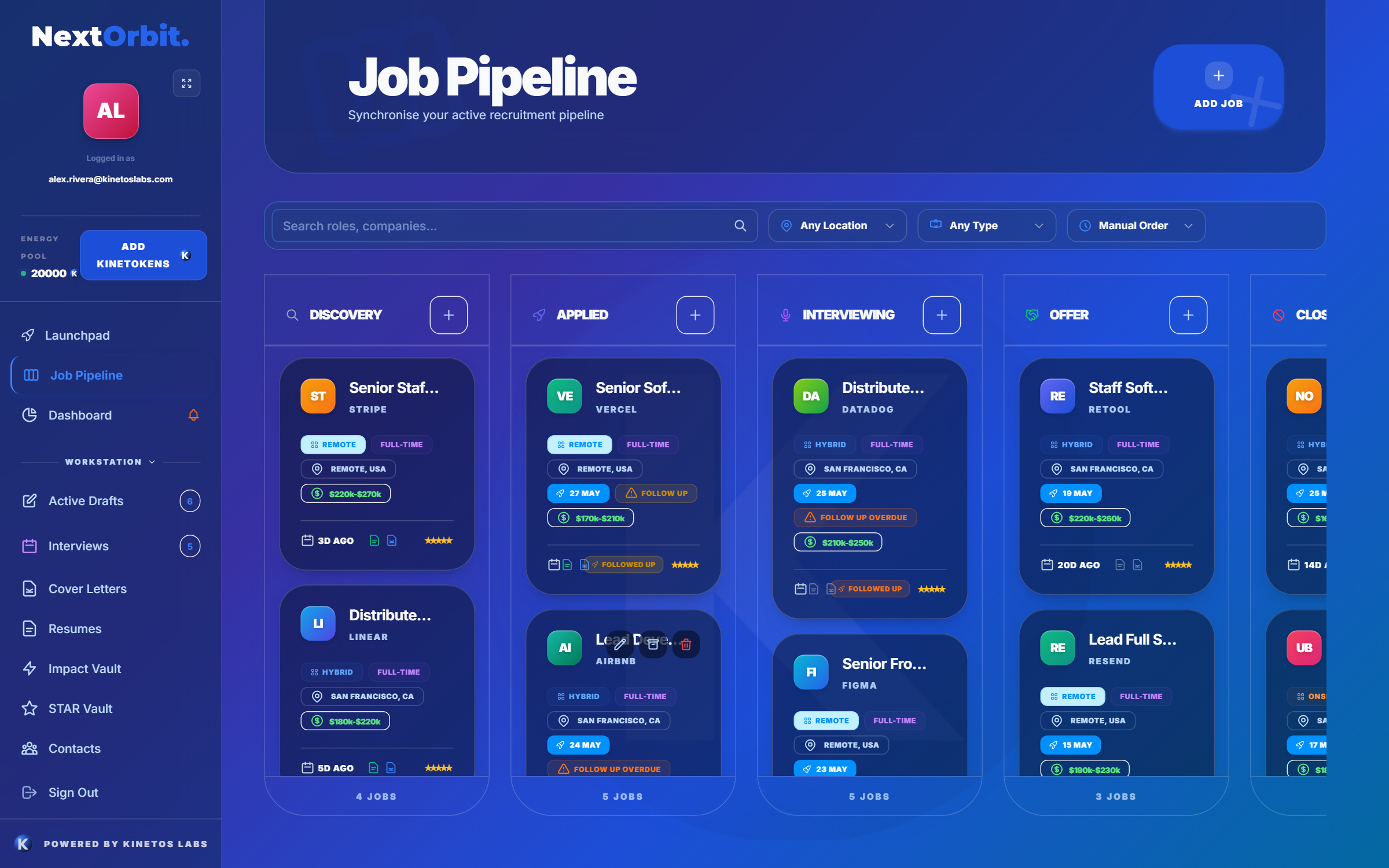
See opportunities by stage and move each role through discovery, application, interviews, and outcomes.
NextOrbit job application tracker
Keep roles, job descriptions, tailored documents, follow-ups, contacts, interview notes, and next actions organised in one visual job search workspace.
Built for the whole search
A spreadsheet can record that you applied. NextOrbit also keeps the material you need when the application moves: what the role asked for, what you submitted, who you contacted, and what happens next.
See opportunities by stage and move each role through discovery, application, interviews, and outcomes.
Keep the source resume, tailored resume, cover letter, and reviews attached to the right opportunity.
Turn vague intentions into visible next actions so promising applications do not quietly disappear.
Record recruiters, hiring contacts, conversations, and outreach context with the relevant role.
Prepare questions and STAR evidence from the same job description and application material.
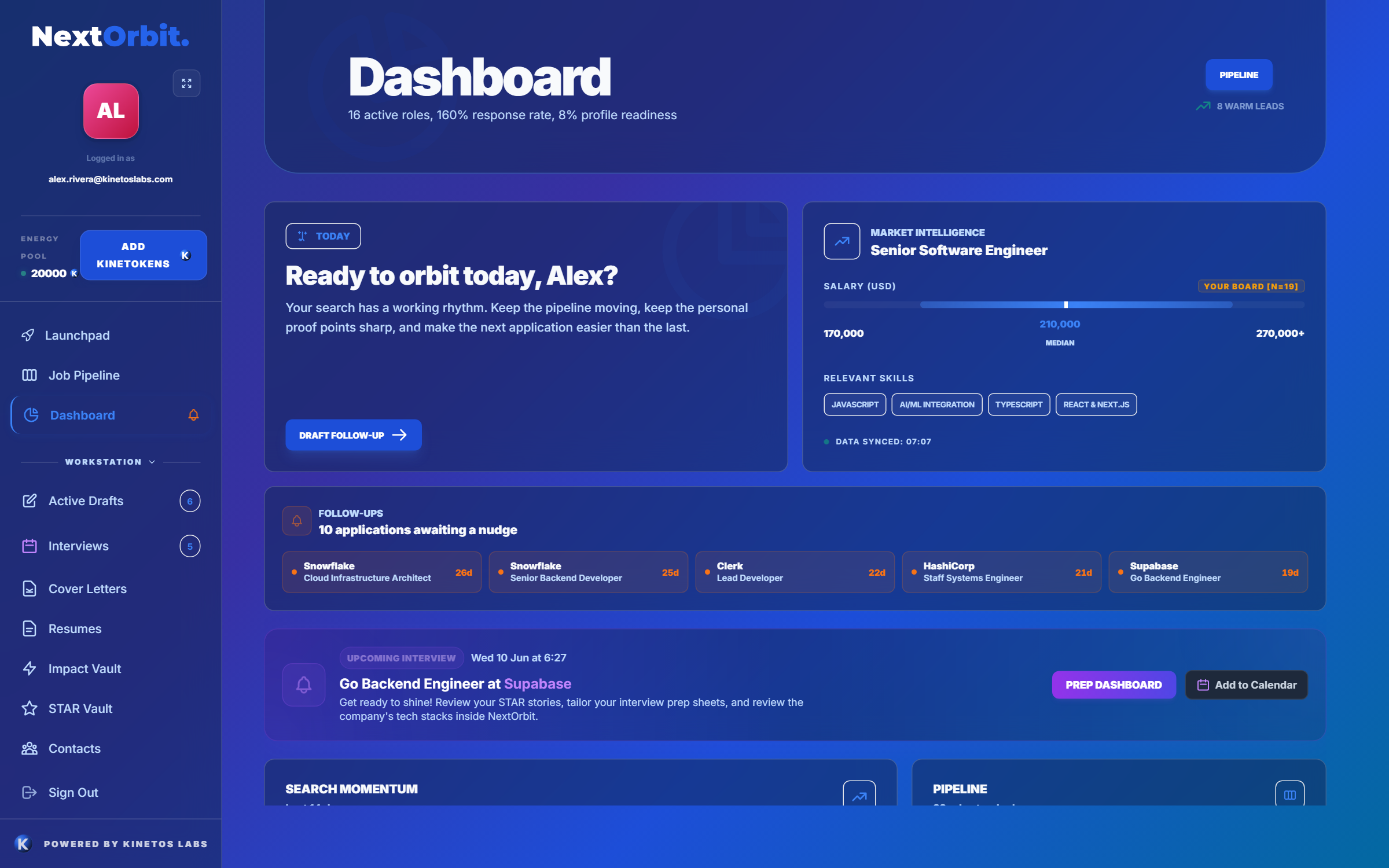
Use the dashboard to see active roles and the actions that deserve attention now.
Know what needs attention
When applications live across browser tabs, inboxes, documents, and memory, follow-up becomes inconsistent. NextOrbit brings the active search into one view so you can decide whether to tailor, apply, contact, prepare, or follow up.
A repeatable workflow
01
Save the listing, source URL, employer, salary, work type, notes, and full job description.
02
Tailor the resume and cover letter, review ATS alignment, and keep the final versions with the role.
03
Plan follow-ups, prepare for interviews, record conversations, and update the application stage.
Spreadsheet or job application tracker?
| Job search spreadsheet | NextOrbit workspace |
|---|---|
| Manual rows, stages, and dates. | Visual pipeline and dashboard built around application stages. |
| Links to files stored somewhere else. | Role context and application documents kept together. |
| Separate tools for tailoring and review. | AI resume tailoring and ATS-style review in the role workflow. |
| Follow-ups depend on manual upkeep. | Follow-up actions remain visible with the opportunity. |
| Interview notes need another document. | Interview preparation uses the same role and career evidence. |
Frequently asked questions
Useful details include the employer, role title, source, job description, application stage, important dates, submitted resume and cover letter, contacts, follow-up tasks, interview notes, and next action.
NextOrbit can replace a manual tracking spreadsheet for many job seekers by combining a visual pipeline with the job description, documents, notes, follow-ups, and interview preparation for each role.
Yes. Each role has its own workspace, so the relevant source resume, tailored resume, cover letter, reviews, and notes stay connected to the correct application.
Yes. NextOrbit combines follow-up planning and role-specific interview preparation with application tracking, so the next action remains visible after the application is submitted.
Bring the search into focus
Create a free account and replace scattered documents, tabs, and reminders with one connected job search workspace.
Start Free