Role requirements
See whether the resume clearly addresses the responsibilities and capabilities named in the job ad.
NextOrbit ATS-style review
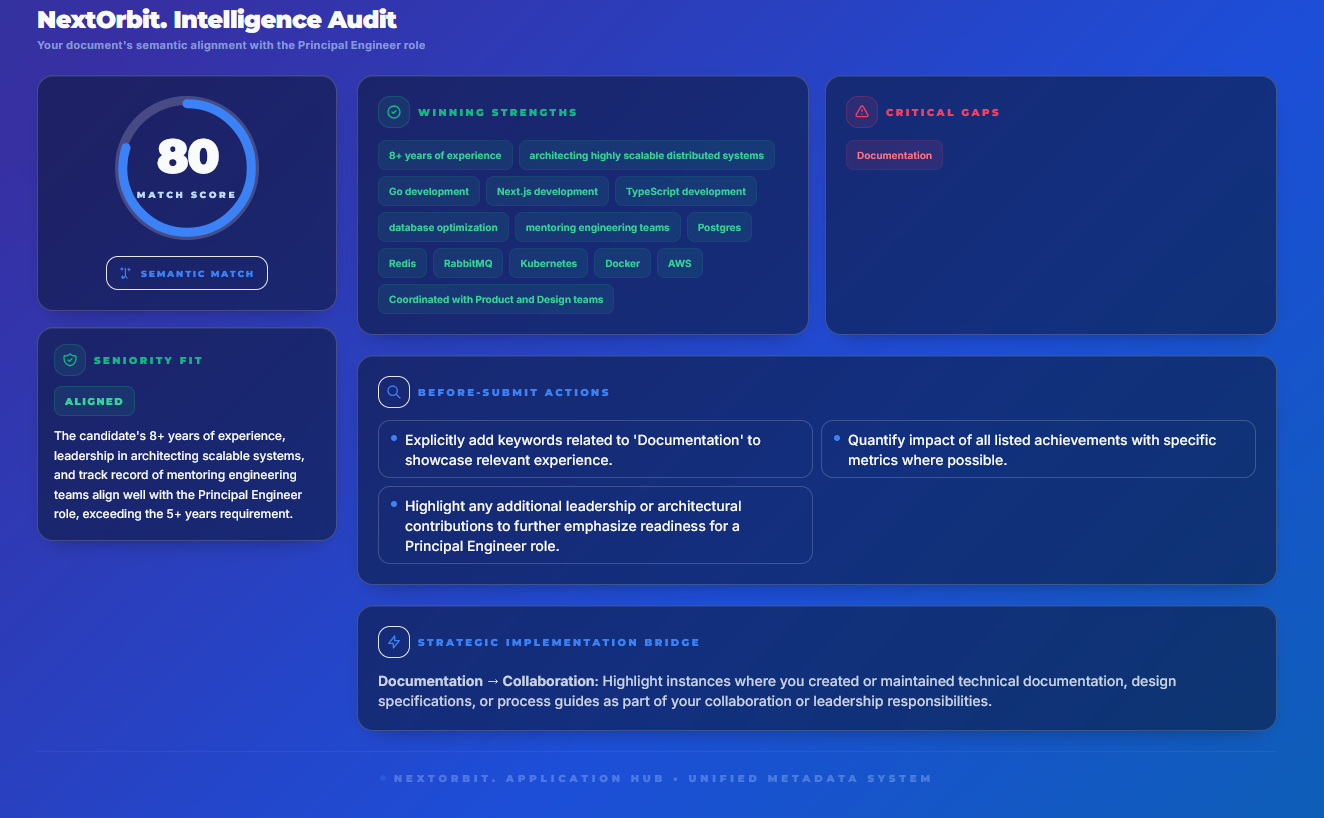
Review requirement alignment, role language, evidence gaps, and document quality in the context of the exact job description.
Useful signals, not false certainty
No public checker can reproduce every employer's private ATS configuration. NextOrbit uses the job description you saved to give you a practical review of what is clear, what is missing, and what deserves another look.
See whether the resume clearly addresses the responsibilities and capabilities named in the job ad.
Find terminology that should appear naturally when it accurately reflects your background.
Identify claims that need a stronger achievement, metric, example, or saved STAR Story.
Review clarity and presentation before the resume becomes part of the application.
What a checker can do
What it cannot do
A connected workflow
1. Scan
Run the review from the role's Launchpad so the correct job description and resume stay together.
2. Strengthen
Use the feedback to improve an achievement, clarify a result, or connect a relevant saved experience.
3. Finalise
Open the resume in the Studio, check every statement, and keep the submitted version with the role.
Before you submit
Use clear section headings and a readable layout.
Put the strongest role-relevant evidence where it is easy to find.
Use job-description language only when it is truthful.
Spell out important acronyms at least once where useful.
Check dates, contact details, spelling, and document consistency.
Follow the employer's requested file type and application instructions.
For a fuller walkthrough, read our ATS-friendly resume guide.
Frequently asked questions
An ATS resume checker compares a resume with a target job description and reviews signals such as relevant terminology, stated skills, experience evidence, and document clarity. It cannot reproduce every employer's private screening setup.
No. Applicant tracking systems are configured differently by employers, and hiring decisions use more than a resume score. A checker is best used to identify practical improvements, not as a guarantee.
No. Add relevant terminology where it truthfully describes your skills and experience. Unsupported keywords can make a resume misleading and may create problems in interviews.
Yes. NextOrbit keeps the ATS-style review with the role, so you can update your evidence or edit the resume in the Studio and review it again before applying.
Review before you apply
Create a free NextOrbit account, save the job description, and keep the scan with the application it belongs to.
Start Free